
IP-TV Player
Updated: July 20, 2026
Installation
IP-TV Player is a free IPTV player designed exclusively for Windows computers. The application has a simple interface, requires no complicated setup and supports M3U playlists. The player supports built-in and external TV guide (EPG) sources, as well as catch-up TV.
Download the application installer:
- The developer’s official website
- Or click this link to download: IpTvPlayer-setup.exe
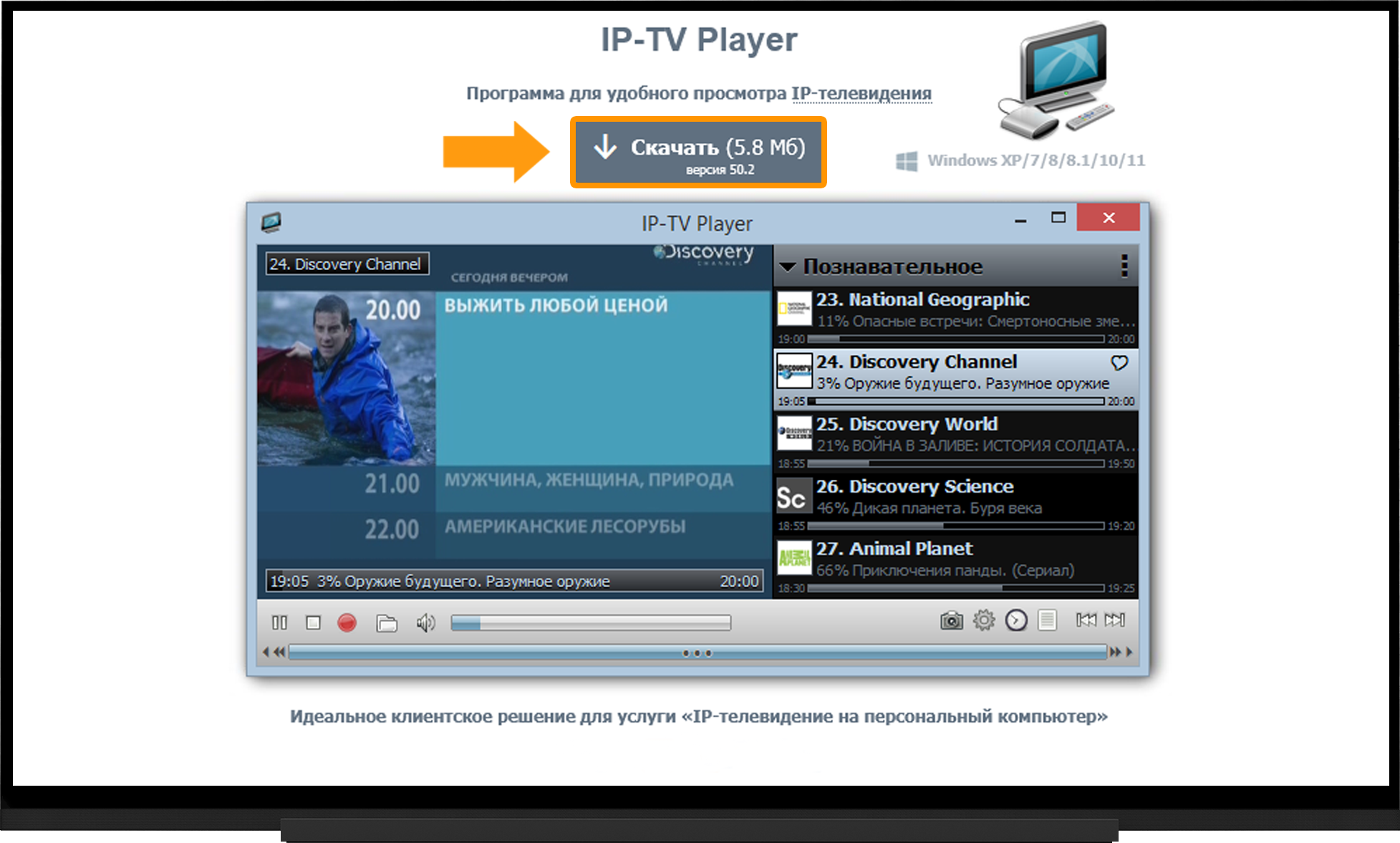
- Install and launch the player.
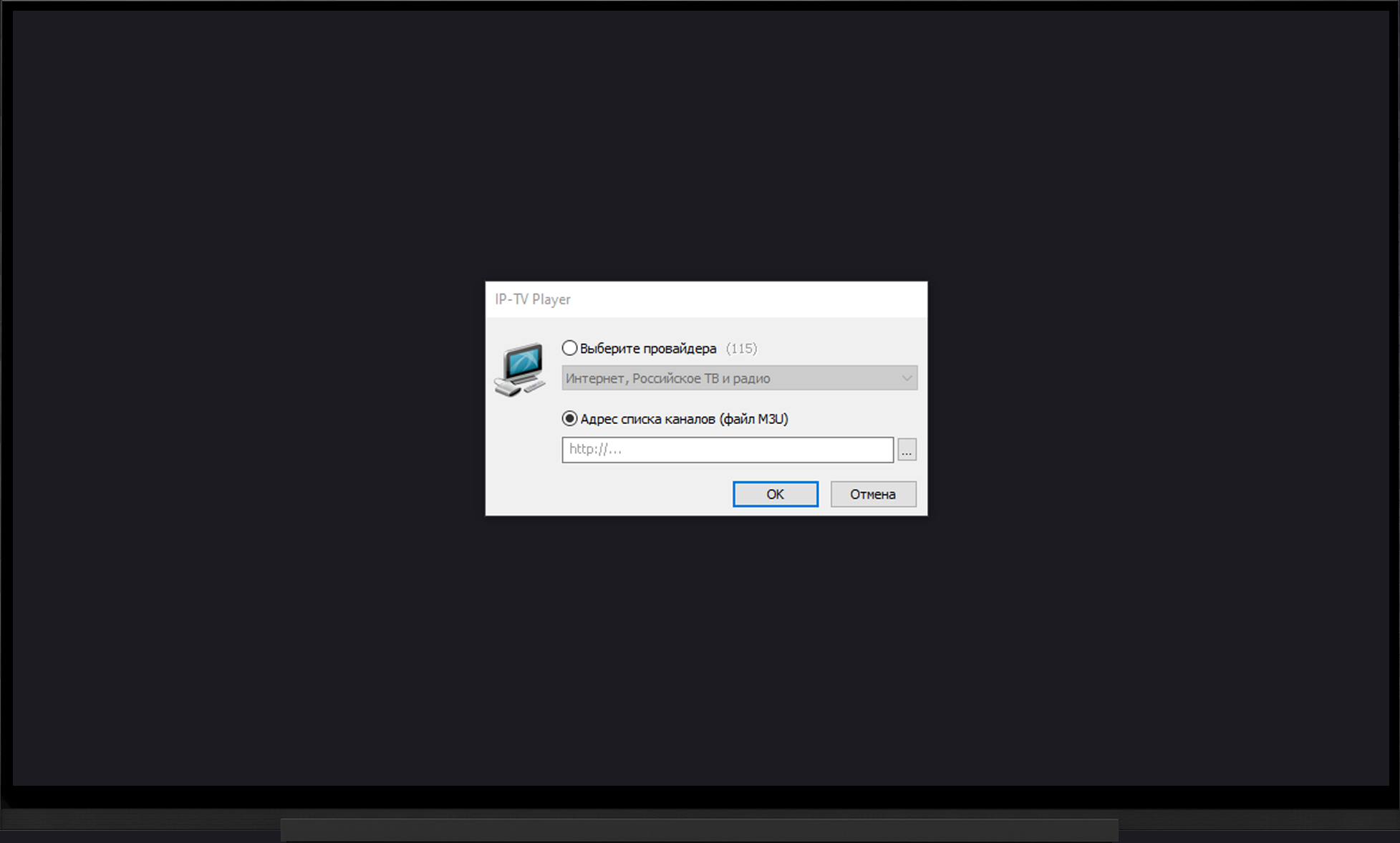
- When you launch the player for the first time, you will be prompted to add a playlist link.
- Select “Channel list address (M3U file)”.
- Paste the playlist link into the corresponding field or add a playlist file you downloaded earlier.
- Wait for the playlist to finish loading.
Note:
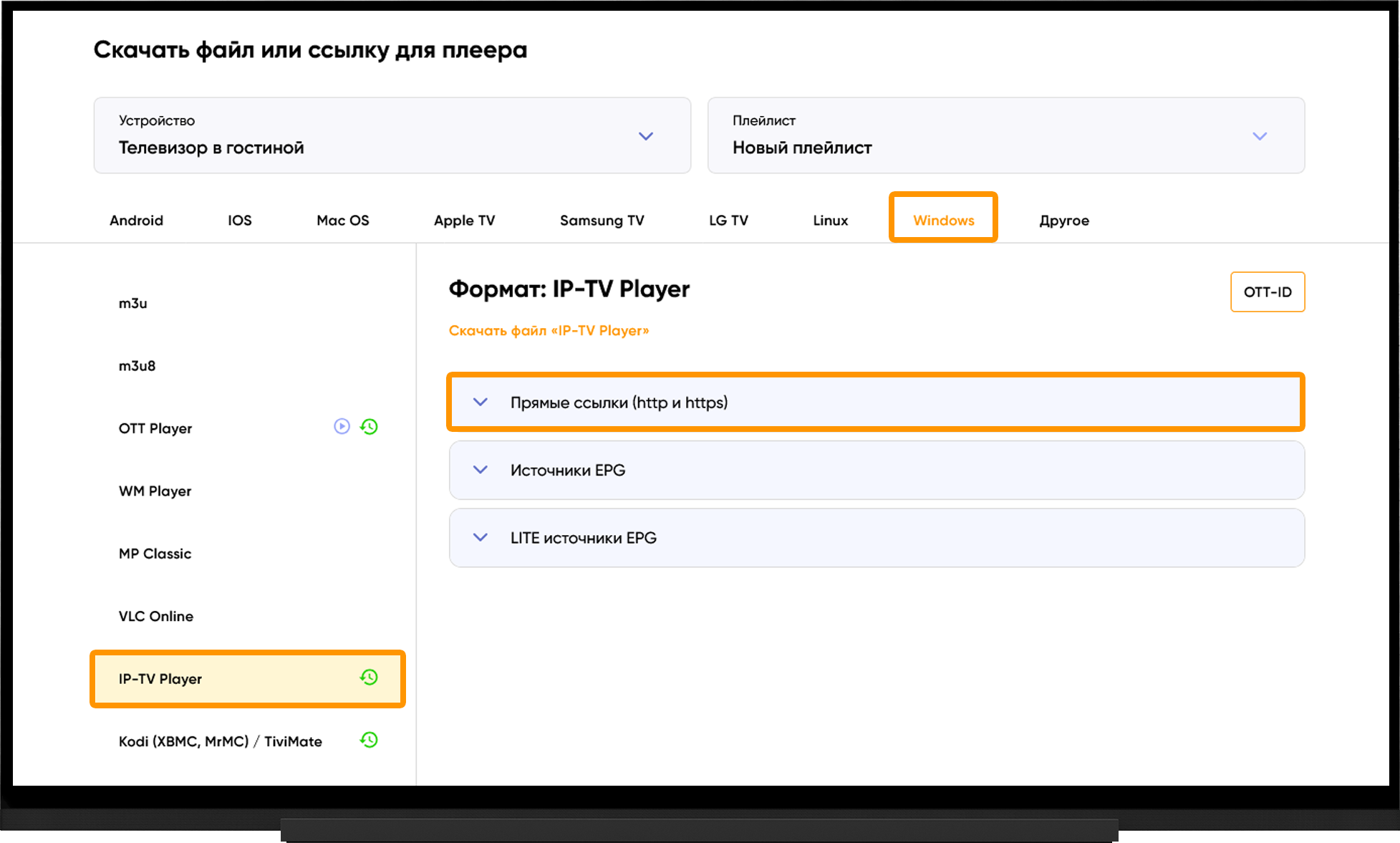
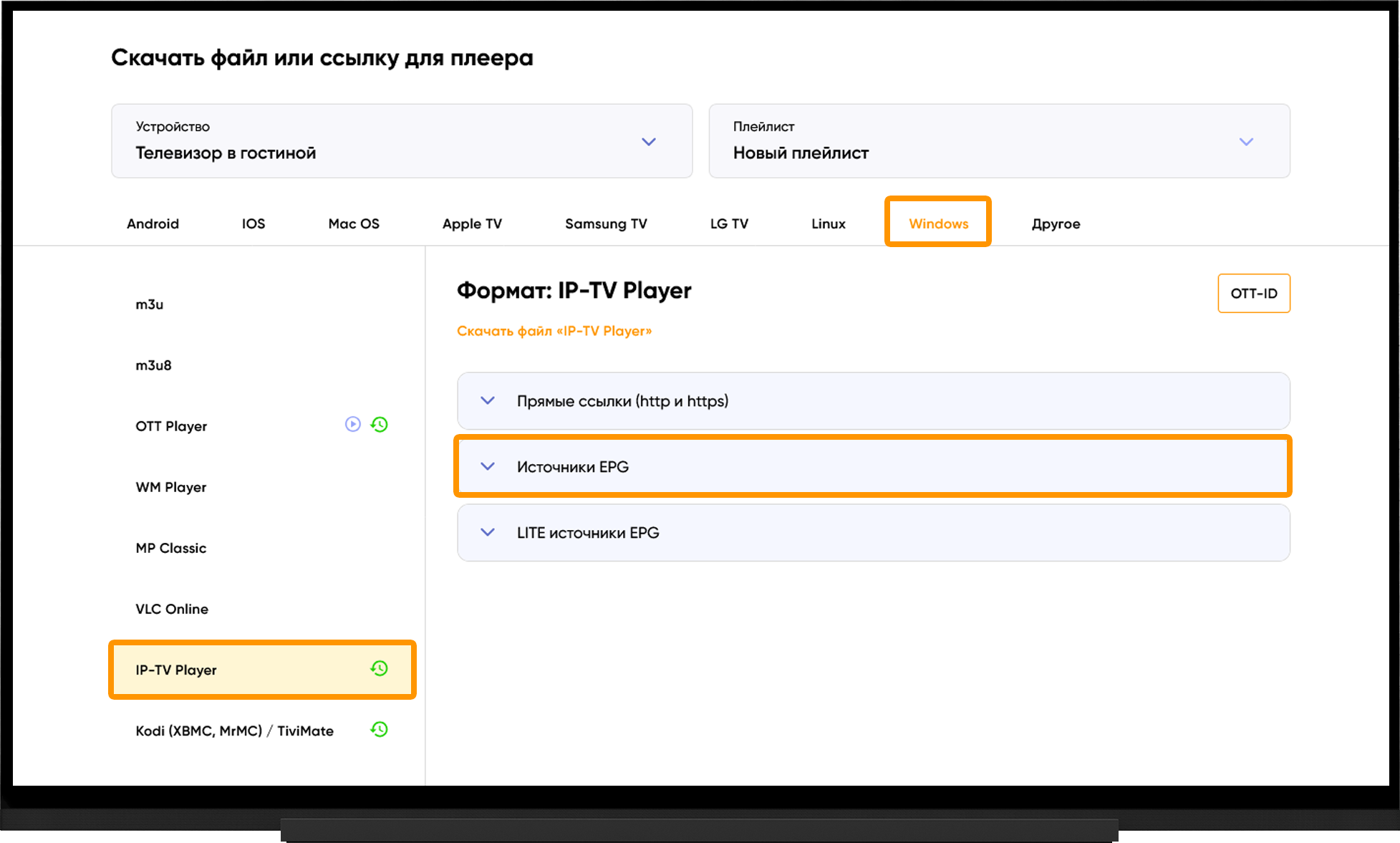
To get the playlist link or file, go to My devices and click “Download” to the right of the device name:
- Select Windows.
- IP-TV Player.
- Under “Direct links (http and https)”, copy the playlist link or click “Download file”, depending on how you prefer to add the playlist.
Catch-up TV
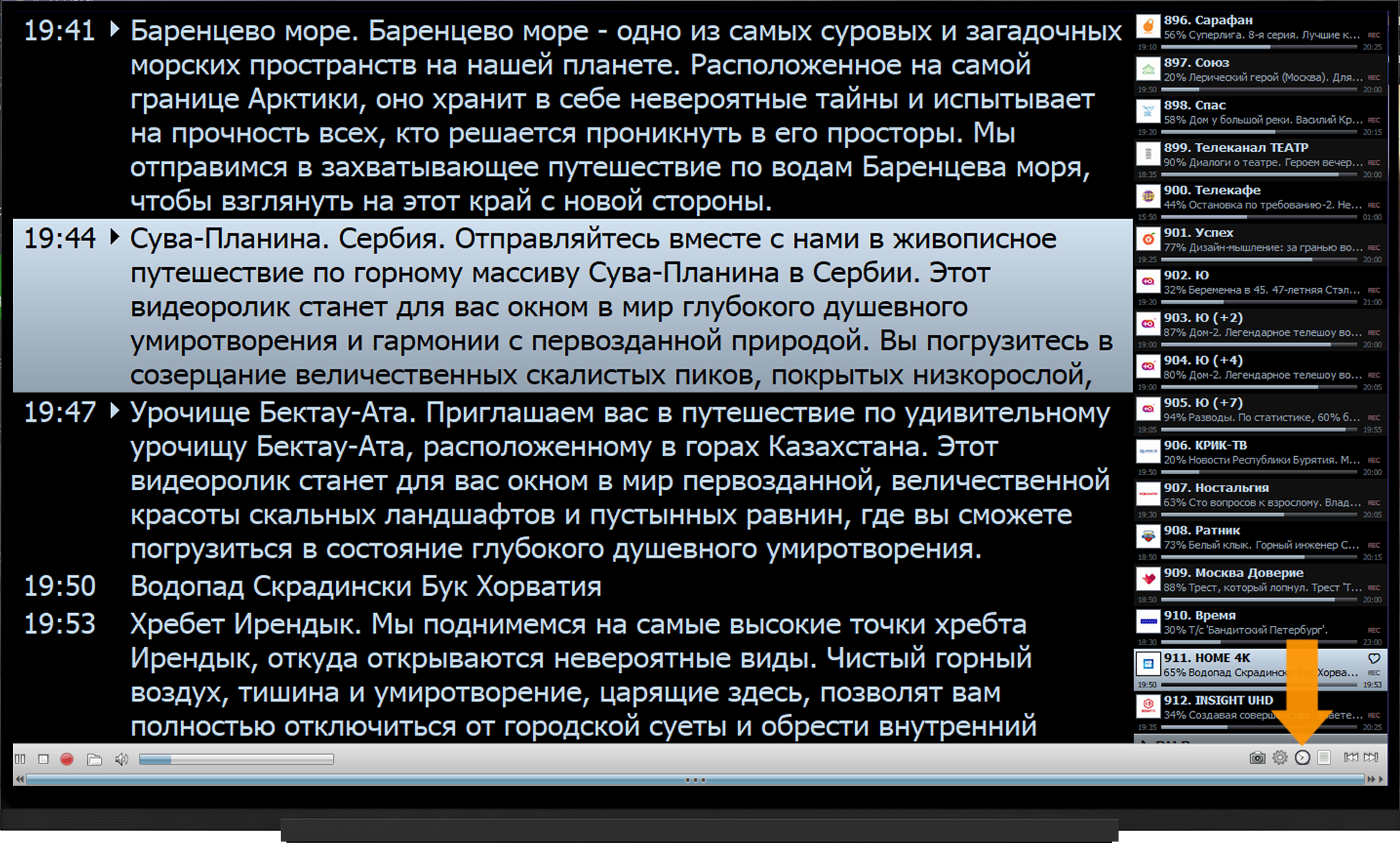
When you use the correct playlist link for IP-TV Player, catch-up TV will be available without any additional configuration.
To access catch-up TV, click the clock-face icon on the toolbar and select the recording you want to watch.
EPG (TV guide)
The EPG source link is added automatically when you use the correct playlist link for IP-TV Player.
Please note that EPG data starts downloading automatically after you add the playlist and may take some time. If the TV guide is not displayed, make sure the EPG download has finished.
If the EPG is not displayed:
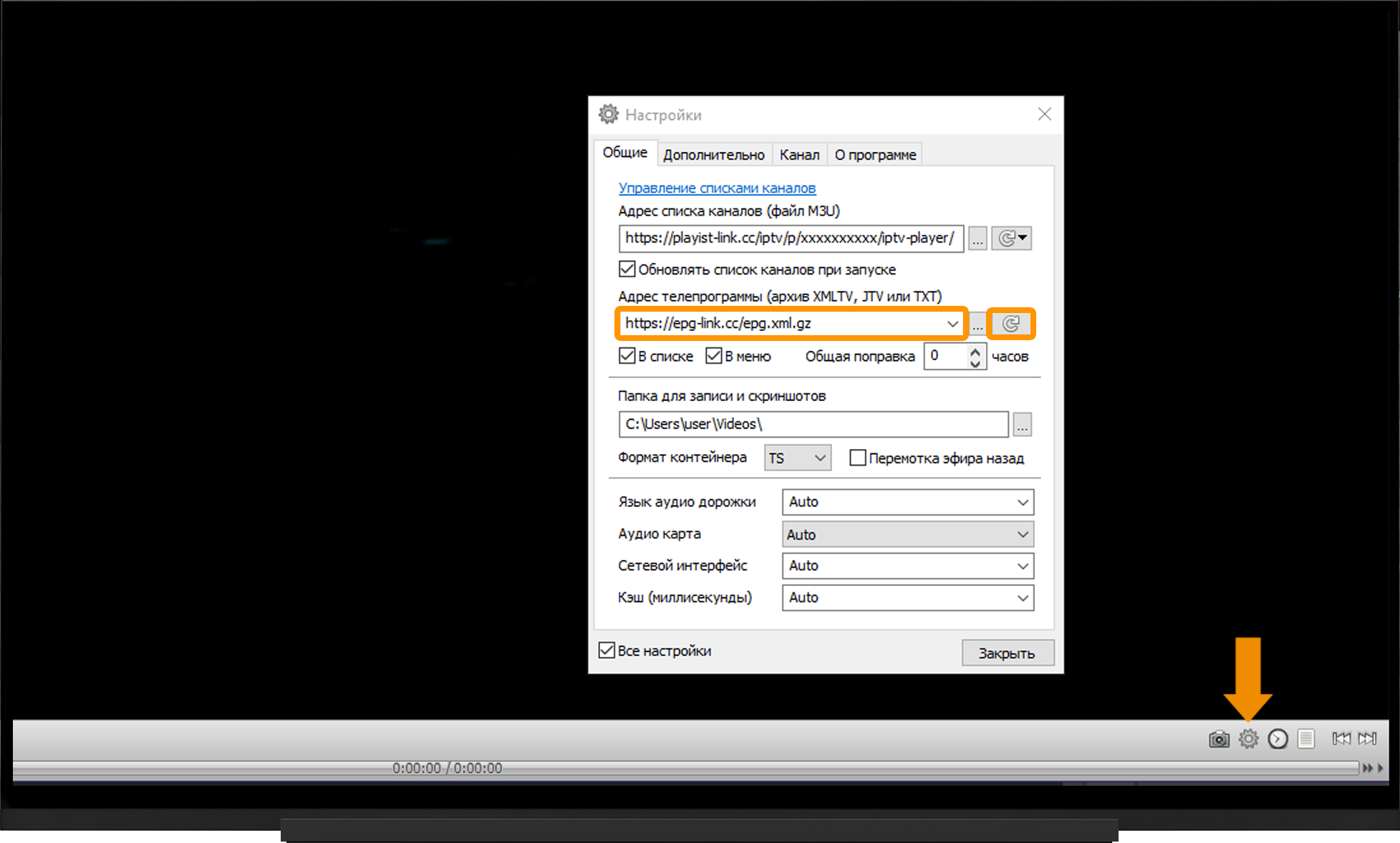
- Open the player settings using the gear icon on the control panel.
- Select the “All settings” checkbox.
- Make sure the “TV guide address” field contains the EPG source link. If it does not, enter the link.
- Update the EPG by clicking the arrow button.
- Wait for the download to finish.
Note:
To get the EPG source link, go to My devices and click “Download” to the right of the device name. On the playlist download page, expand “EPG sources”.
Frequently asked questions
The playlist does not load:
- Check that the link is correct. Links are case-sensitive.
- Try different link types: http/https.
- Run the server selection test, switch to the optimal server and restart the application after 10 minutes.
Video buffering:
- Run the server selection test, switch to the optimal server and restart the application after 10 minutes.